HackRF Software Defined Radio Guide for Linux

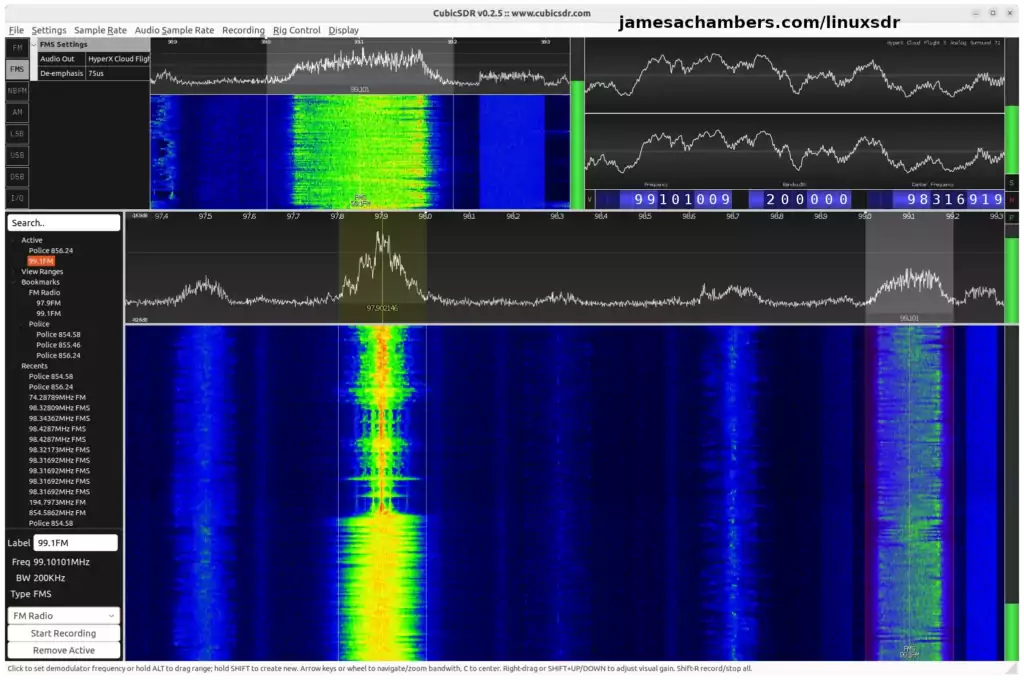
Cubic SDR - Main Screen

The term “software defined radio” simply means that parts of a radio that were traditionally hardware are implemented in software. This means that functions that used to require knobs, dials or some kind of physical mechanism can now be controlled via software. Essentially this makes using computers/ software with radios much easier and more accessible (cheaper) than it had ever been traditionally.

Now with that background I can explain what the HackRF device is. The HackRF is a software defined radio device that is designed to let you access *all* of the radio spectrum all the way from 1 MHz up to 6 GHz! Think of it like a FM radio where the frequency controls don’t stop at 88 MHz or 108 MHz and you could turn it way below or above that. That is exactly what a HackRF is!

You are definitely not limited to listening to radio stations though. You can basically receive all types of signals with the HackRF (depending on your antenna) including video and data signals which can be processed by your computer. In this guide I’m going to cover how to get started with a device like this in Ubuntu Linux and give you an idea of what kind of things you can do with it!

HackRF Software Defined Radio Guide for Linux Read More »
Pwnagotchi WiFi Audit Tool Build / Guide

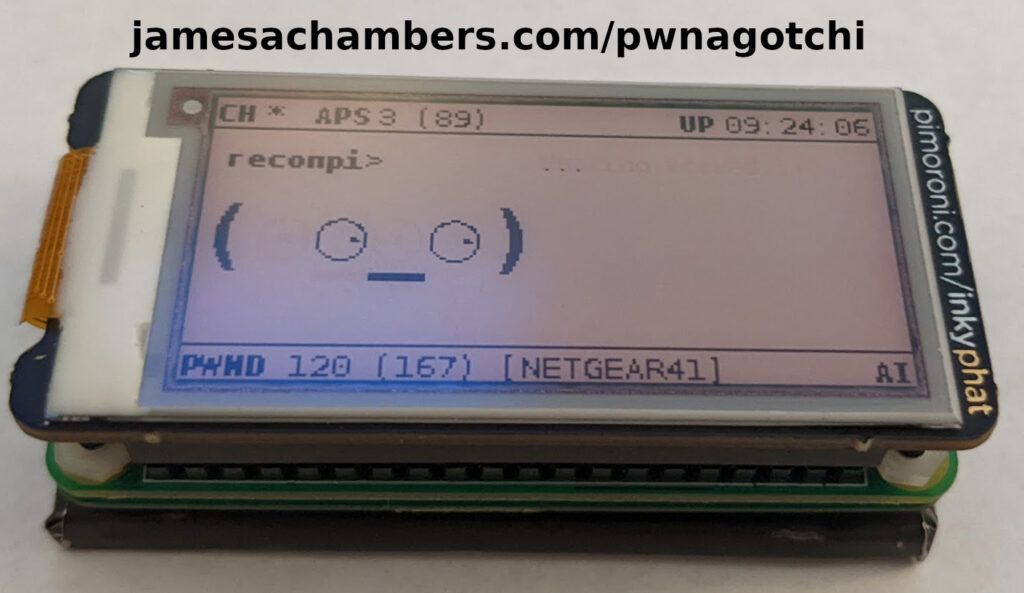
Pwnagotchi Raspberry Pi Zero W Build

A “pwnagotchi” is a device used for wireless security auditing / hacking that captures the handshakes of any WiFi access points in range of the device. These handshakes can later be cracked. How difficult these are to crack depends on how secure the wireless network is. If the network is set up with the latest encryption standards and an extremely secure password (or is using WPA encryption) it can be nearly/essentially impossible. If the password is a common dictionary word it may crack within seconds.

It’s common and smart security practice for both enterprises and home users to check what kind of networks are operating within range. It’s common to find devices that are “broadcasting” a wireless access point used to share internet but this is often not intended / authorized. It’s also very common to find devices using extremely insecure passwords that will crack in seconds that are authorized to be on the network but need a more secure password. These are basically backdoors into your home / company and they can go for a long time without being caught when this is never checked for.

The “pwnagotchi” tool automates this process. It will capture anything in range to be easily checked later for extremely insecure hashes (typically using hashcat or there are even online tools to find common hashes which we will cover). This saves a ton of time and can greatly improve your security. Today I’ll cover how to build a pwnagotchi setup as well as the steps to use it. Let’s begin!

Pwnagotchi WiFi Audit Tool Build / Guide Read More »

Modern Headless Raspberry Pi Configuration Guide (Pi Imager)

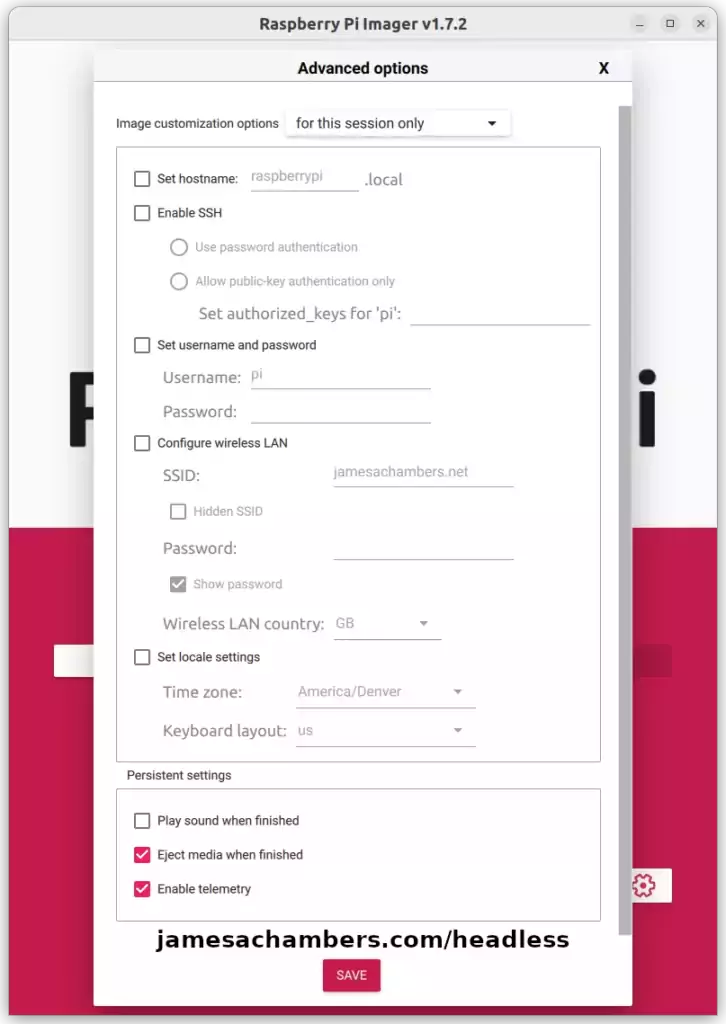
Raspberry Pi Imager - Headless Configuration Menu

For many years configuring a headless Raspberry Pi usually involved creating a bunch of text files on the SD card. Some of these were more commonly known (such as creating the “ssh” file to enable SSH) but there are many lesser known methods to configure many different options headlessly.

These days we have a much better option available. We can use the Raspberry Pi imager’s headless configuration options to create a preconfigured SD card for headless use without touching any obscure text files!

Today in this guide we’ll cover the more well known options as well as the options that you may have not heard of (but are quite useful) that are available in the Raspberry Pi Imager. Let’s get started!

Modern Headless Raspberry Pi Configuration Guide (Pi Imager) Read More »

Benchmark Storage Performance on Linux

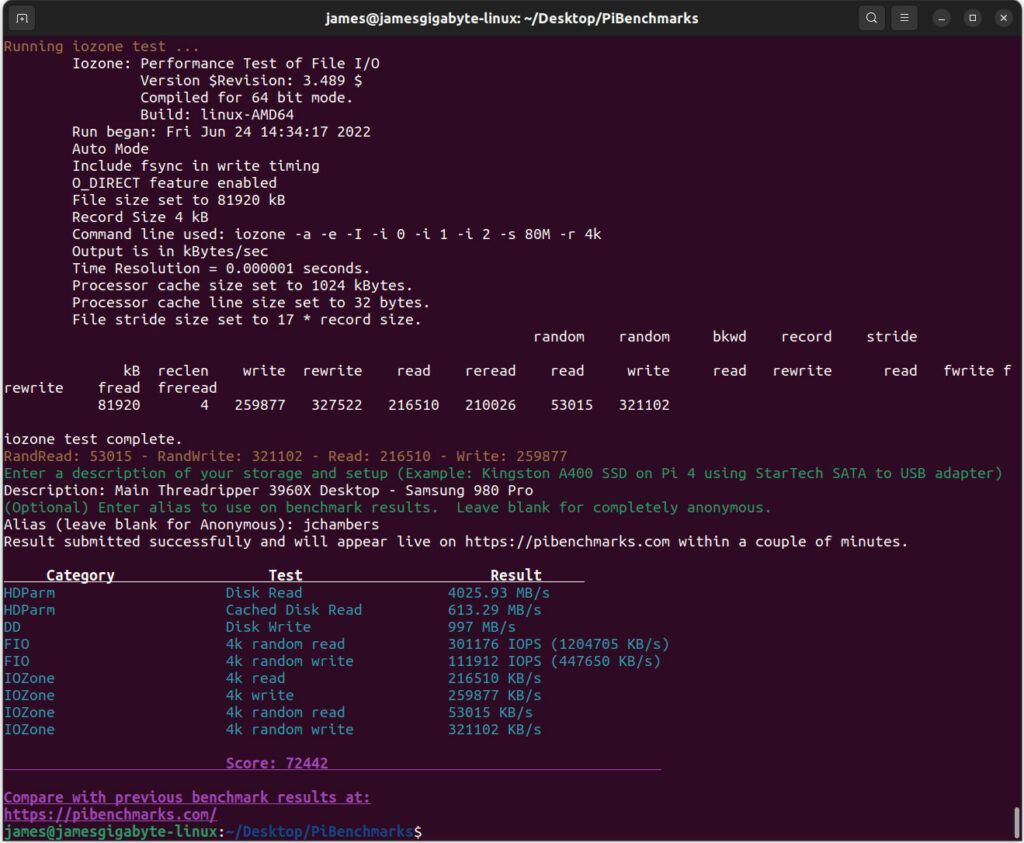
Linux Storage Benchmark

When attempting to determine storage performance on Linux there are common tests such as doing a DD write command and measuring the speed of that. These methods leave a lot to be desired and are especially bad at measuring random read/write performance (the most important for operating system / application performance).

I solved this problem for the Raspberry Pi by creating Pi Benchmarks. This is an open source benchmark that *does* measure random read/write performance as well as several other important factors (IOPS, etc.). We’ve collected many years worth of performance data across thousands of different drives including SSDs / HDDs / others. It’s enough information to be used to make important decisions about performance using hard data.

I’d like to announce that this exact same benchmark is now available for all devices! If you’d previously taken the benchmark on a PC or device other than a Raspberry Pi those results are now retroactively live on the site.

Benchmark Storage Performance on Linux Read More »

Raspberry Pi Shortage Survival Guide

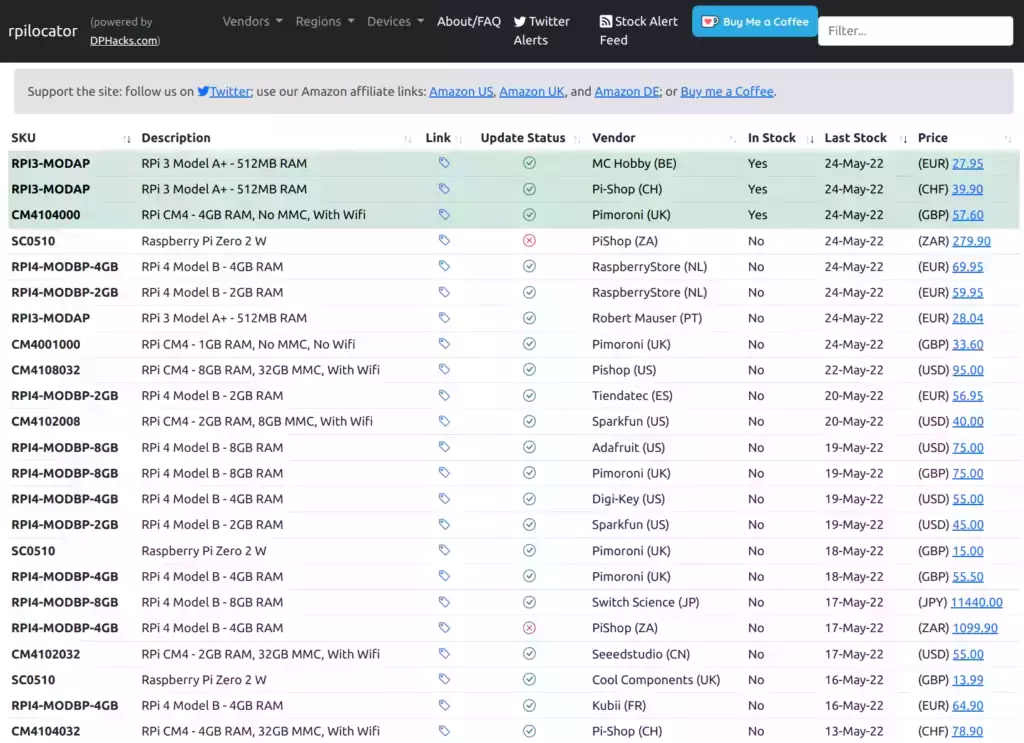
rpilocator - Raspberry Pi Stock Locator Tool

The Raspberry Pi shortage is extremely bad. As a site that covers a lot of topics related to the Raspberry Pi I’ve actually seen a major decline in traffic because people are having such a hard time getting these.

Stock on Amazon is limited and it’s being scalped with prices such as $99 for a Zero 2 W and $187 for a Pi 4 8GB. Those are absurd prices.

There are some Pis that are smarter to buy right now than others that you may not be thinking about. Today I’d like to cover additional places to get your Raspberry Pis during the shortage as well as recommend an alternative Pi (a more powerful one actually) you may not necessarily be thinking of!

Raspberry Pi Shortage Survival Guide Read More »

Legendary Minecraft Bedrock Container

Minecraft Bedrock Docker Edition

I’ve been getting asked to put this together for years including in official GitHub issues. I always knew it would be a great idea but it turned out even better than I expected. This image works great on all platforms including Raspberry Pi!

This is based off my Minecraft Bedrock Linux Dedicated Server scripts for Linux project. I’m going to release a version for the Java Minecraft edition as well so stay tuned for that.

Legendary Minecraft Bedrock Container Read More »

Best Altcoin Mining Pools / Exchanges

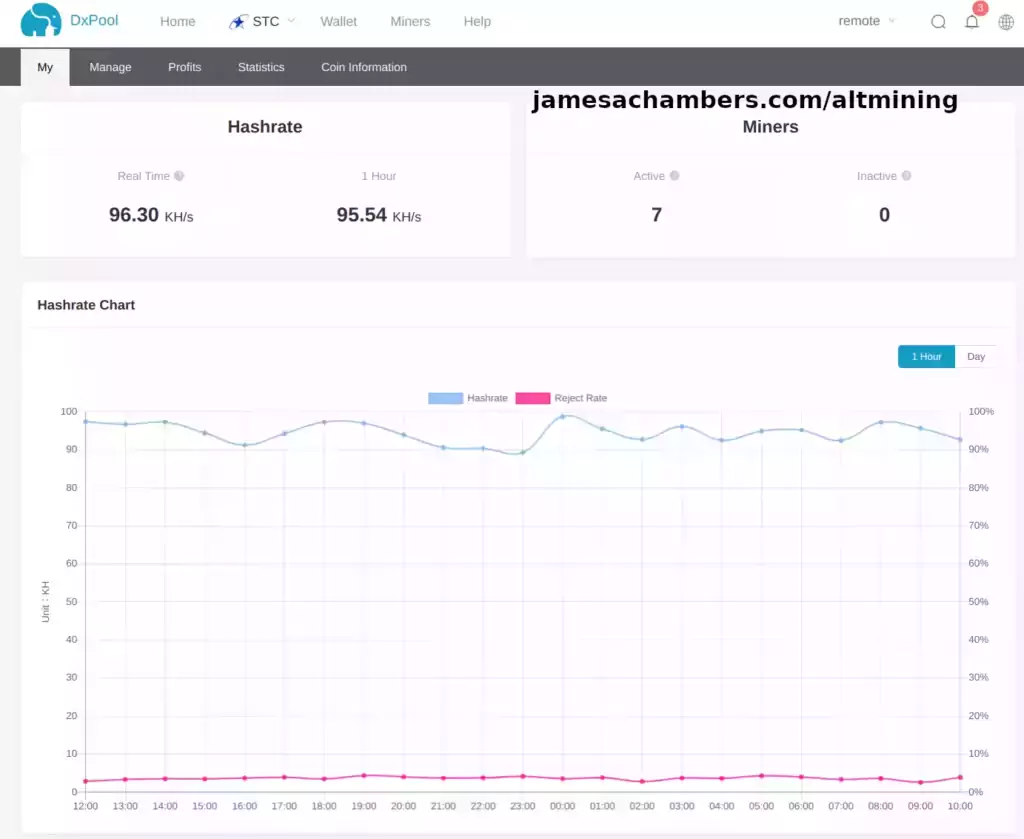
DxPool

For quite some time now Kadena (KDA) has been topping the charts for mining profitability. There are many other altcoins though that are power efficient to mine such as Starcoin (STC) and Siacoin (SC) and many others.

The only problem with these coins is that they can be difficult to find good pools and exchanges that will accept them. Fortunately if you know the right places to go you can essentially take care of *all* of your altcoin needs with just a couple of pools and a single exchange.

Today I’ll cover where I do all of my altcoin mining and where I exchange those tokens with minimal fees. Let’s get started!

Best Altcoin Mining Pools / Exchanges Read More »

Benchmark Tinker Board, ODROID, Pine64, OrangePi and others

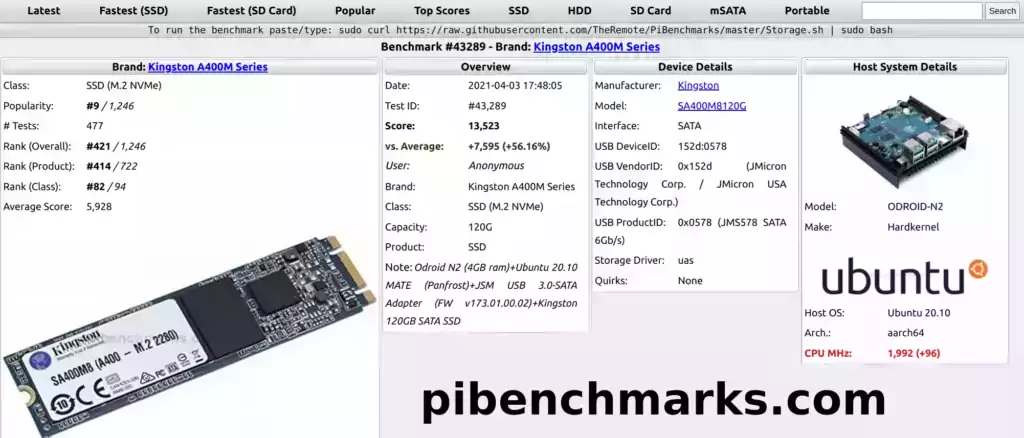
PiBenchmarks.com - Benchmark #43289

PiBenchmarks.com is now several years old. It has over 31,000 identified benchmarks. Previously only results from the Raspberry Pi would show live on the site.

like to announce that over the past couple of weeks I’ve added support for the SBCs that many of you had already submitted benchmarks for (even though they weren’t recognized on the site yet). These are now all retroactively live on the site right with all of the Pi submitted benchmarks.

Let’s take a look at a list of some of the models that were added and how to run the benchmark!

Benchmark Tinker Board, ODROID, Pine64, OrangePi and others Read More »

2022 – The Year of the Linux Desktop

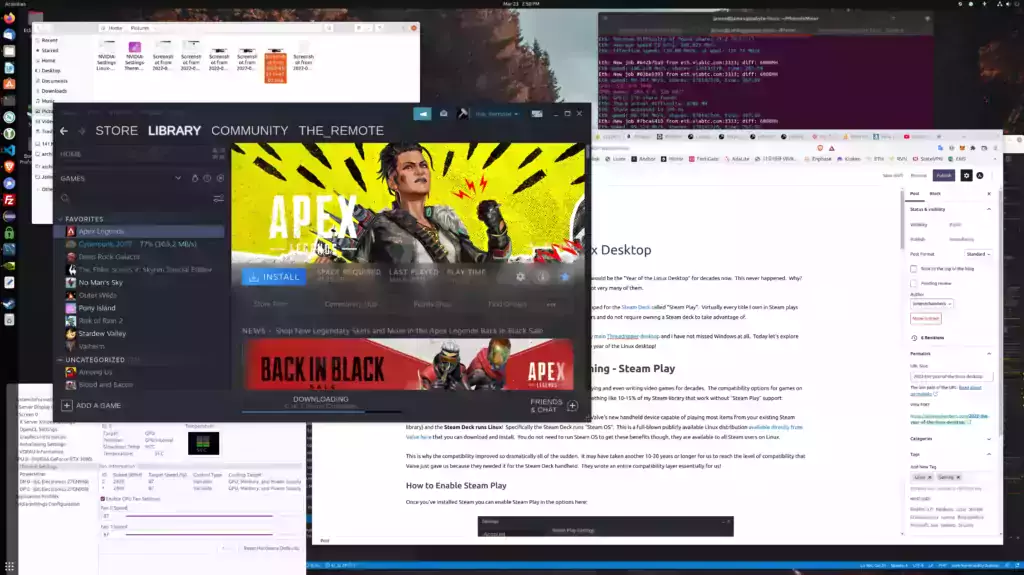
Year of the Linux Desktop

It has been a long-running meme in the Linux community that each new year would be the “Year of the Linux Desktop” for decades now. This never happened. Why? A big reason is compatibility with gaming. Some titles worked on Linux but not very many of them.

ibility options they developed for the Steam Deck called “Steam Play”. Virtually every title I own in Steam plays flawlessly on Linux now as these options are available for all Steam Linux users and do not require owning a Steam deck to take advantage of.

Today let’s explore the things that have changed that up until this point had been preventing the year of the Linux desktop!

2022 – The Year of the Linux Desktop Read More »

Why GPU / Ethereum Mining Is Toast – Stop Buying GPUs

whattomine.com

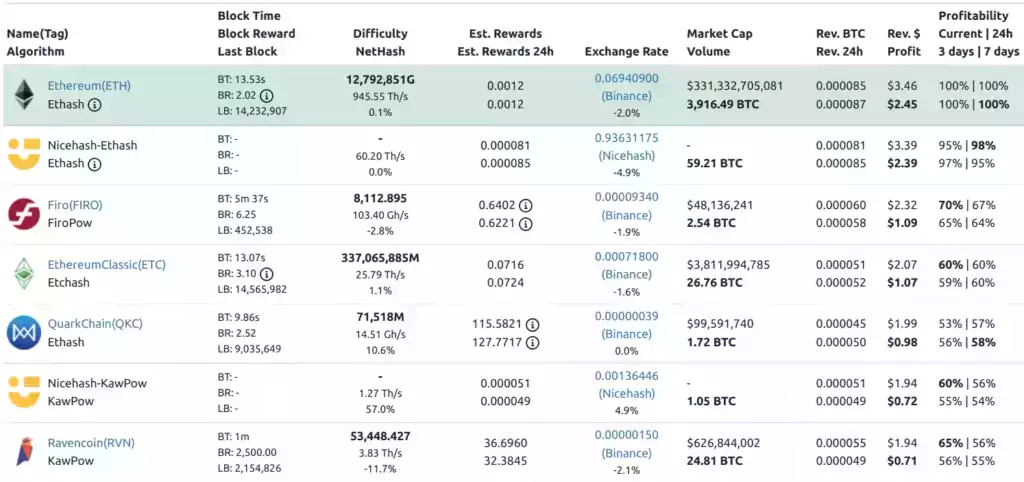
One way I keep up with the developments in cryptocurrency is I do watch some of the YouTubers since the YouTubers are generally following the juiciest developments to farm views. With the continued news that Ethereum is going to launch Eth 2.0 and is more or less on time (now called the “Ethereum consensus layer”, how catchy) how much denial there is around this fact.

Except we are way past that point now. It’s literally these YouTuber’s job to know that GPU mining is toast and today I’m going to expose how big of frauds they are, how they really built their mining farms, what they are actually doing vs. what they’re telling you and why, as well as explain what exactly is going on with Ethereum and why if you’re planning on being able to mine with those GPUs (at least above the cost of your electricity / profitably) the math is not looking good.

Let’s break down what neither the miners or the Ethereum developers want to talk about / remember and break it down!

Why GPU / Ethereum Mining Is Toast – Stop Buying GPUs Read More »

Bulk Management of Multiple Goldshell ASIC Miners w/ Yotta BC

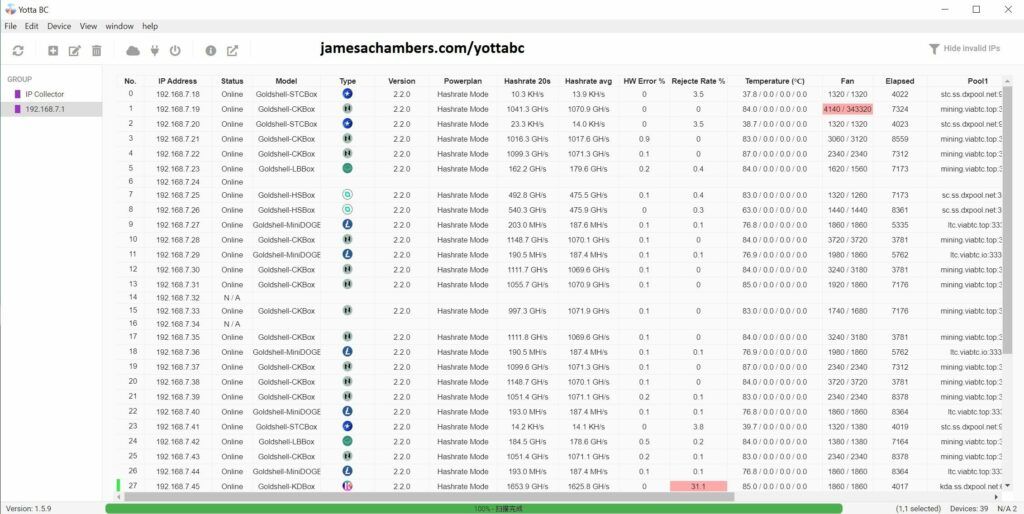
Yotta BC - Official Goldshell ASIC Bulk Management Tool

One reality of cryptocurrency mining is that you are almost certainly going to need multiple units to reach whatever goals you have. The way most people do this is pay for / ROI on their existing units and then they will add more units and repeat the cycle again.

At first this is easy when you only have a few units but it gets more complex as you add more units. You will need better infrastructure and management tools as you scale up.
I’ve been going through this process for a ASIC farm build-out and wanted to share some of the tools I’ve found and used to make scaling up much more effective.

Today I’m going to cover an official tool from Goldshell called YottaBC that lets you do a lot of cool things like tell all of your miners to change pools at once, view the status of all miners in one fell swoop, fix miners that have lost their IP address and lots of other critical functions. Let’s take a look!

Bulk Management of Multiple Goldshell ASIC Miners w/ Yotta BC Read More »

Goldshell BOX ASIC Miner Firmware Recovery Guide

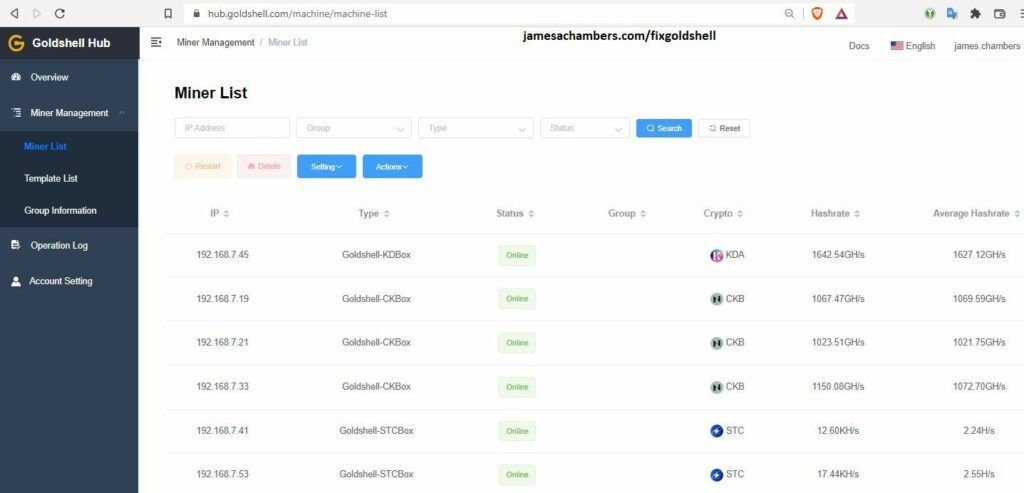
Goldshell Hub - Introduced in firmware 2.2.0

Recently Goldshell released the 2.2.0 update which includes the new “Goldshell Hub” (featured above) which is basically a cloud control center for your miners. I was able to upgrade 23 miners successfully but I had one Mini DOGE and one ST-BOX fail during the upgrade.

After a substantial Google journey and finding some very helpful posts on reddit I was able to recover both of them without waiting for Goldshell’s response on the situation. I will cover what I used to do so and where to find them in the guide but it is at your own risk and if you aren’t outside of your warranty support period you should almost certainly contact Goldshell instead.

With that caveat/warning given, I have 25 of these miners and only 1-2 were bought directly from Goldshell in the first place so I was not worried about losing my warranty or support period from them but you should be careful here and only proceed if you understand this. Let’s begin!

Goldshell BOX ASIC Miner Firmware Recovery Guide Read More »

Fix Home Assistant / HAOS Raspberry Pi USB/SSD Boot Freeze

Home Assistant / HAOS

There are few things I dislike more in this world than getting questions on my setup guides that I don’t know the answer to, but thanks to an investigation by Bill Schatzow we can strike one of those issues off the list!

We’ve had a few comments of people who have encountered this issue over the years. Given that at best only 1% of people who visit the site leave a comment I think it’s safe to say that this issue has plagued thousands of people over the past 10-12 months.

Let’s take a look!

Fix Home Assistant / HAOS Raspberry Pi USB/SSD Boot Freeze Read More »

Bobcat 300 Diagnoser Tool / Utility Guide (Helium Mining)

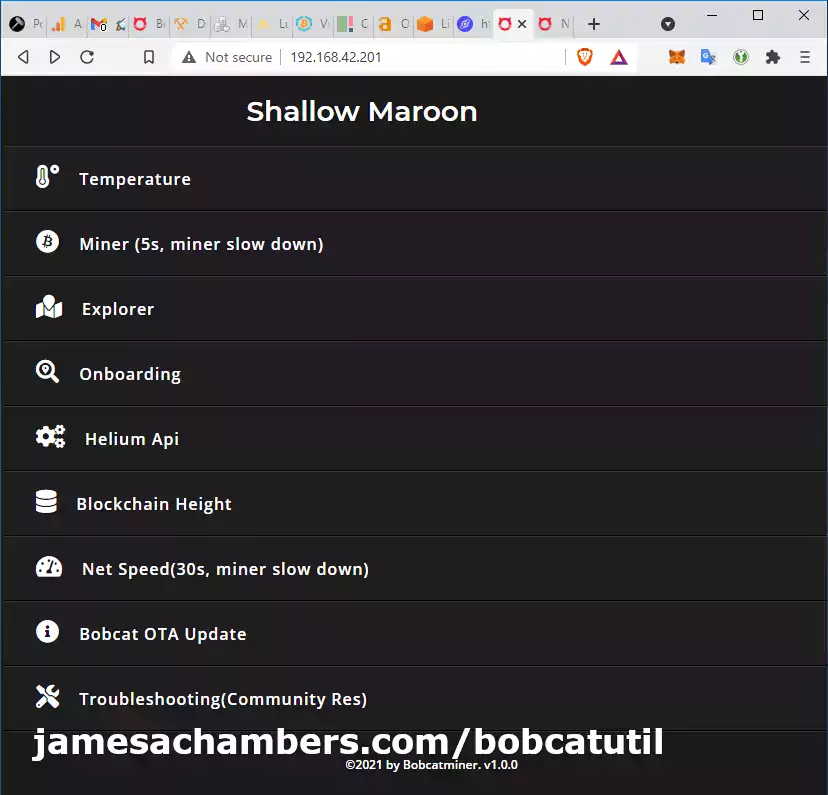
Bobcat 300 Diagnoser Utility

The Bobcat 300 Helium Miner finally has an interface you can use to be able to tell what it’s doing! Better yet, it lets you do a few things like conduct an internet speed test. You can even get a detailed breakdown of which block your miner is on!

In this guide I’ll break down how to access the web interface (easy) and run through some of the features that are available at launch (1.0). The utility started installing on Bobcat 300’s via OTA updates on August 3rd 2021. Let’s begin!

Bobcat 300 Diagnoser Tool / Utility Guide (Helium Mining) Read More »