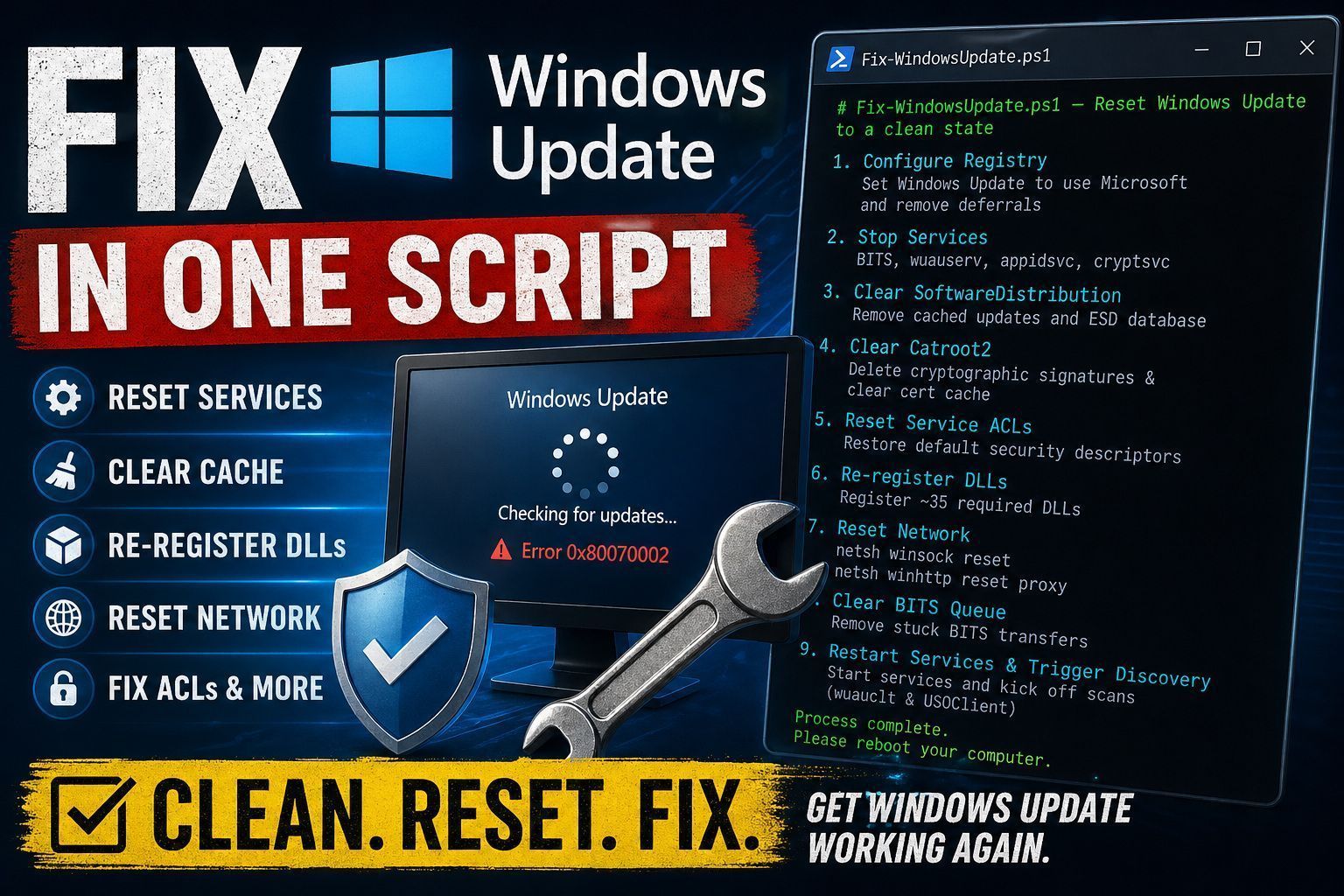
Windows Update breaks. Everyone knows this. Stuck update loops, error codes that don’t make sense, a client machine that hasn’t successfully installed patches in months. Microsoft’s official KB article for fixing Windows Update is a wall of 30+ manual steps. You have to stop services, rename folders, reset security descriptors, register DLLs, and restart everything in the correct order.
I wrote a script that does all of it in one shot, and I’ve run it on hundreds of machines with consistent results. Here’s how it works and why each step matters.
What the Script Does
The full script is below. It performs nine distinct operations in order:
1. Registry Configuration
First, the script ensures Windows Update is set to automatically download and install updates, and that it’s pointing at Microsoft not a WSUS server (which is a common cause of update failures after a GPO change):
Set-ItemProperty -Path "HKLM:\Software\Policies\Microsoft\Windows\WindowsUpdate\AU" `
    -Name 'AUOptions' -Value 4 -Verbose
Set-ItemProperty -Path "HKLM:\Software\Policies\Microsoft\Windows\WindowsUpdate\AU" `
    -Name 'UseWUServer' -Value 0 -Verbose
It also removes any deferral settings and orphaned client IDs that can cause the update service to think it’s already registered elsewhere:
Remove-ItemProperty -Path "HKLM:\Software\Policies\Microsoft\Windows\WindowsUpdate" `
    -Name "DeferFeatureUpdate" -Verbose -ErrorAction SilentlyContinue
Remove-ItemProperty -Path "HKLM:\SOFTWARE\Microsoft\Windows\CurrentVersion\WindowsUpdate" `
    -Name AccountDomainSid, PingID, SusClientId, SusClientIDValidation `
    -ErrorAction SilentlyContinue
2. Stop the Services
You can’t safely rename or delete update-related folders while the services are running:
Stop-Service -Name BITS -Force
Stop-Service -Name wuauserv -Force
Stop-Service -Name appidsvc -Force
Stop-Service -Name cryptsvc -Force
These four services are all part of the update pipeline. BITS handles the downloads, wuauserv is the client orchestrator, appidsvc applies AppID policies, and cryptsvc validates update signatures.
3. Clear the Software Distribution Folder
The SoftwareDistribution folder contains downloaded update packages and the update client’s state database. Corrupt packages or a stale ESD database are the most common cause of update loops:
Remove-Item $env:systemroot\SoftwareDistribution.bak -Recurse -Force -ErrorAction SilentlyContinue
Rename-Item $env:systemroot\SoftwareDistribution SoftwareDistribution.bak -ErrorAction Continue
Remove-Item $env:systemroot\SoftwareDistribution.bak -Recurse -Force -ErrorAction SilentlyContinue
Remove-Item $env:systemroot\SoftwareDistribution -Recurse -Force -ErrorAction Continue
Notice the pattern: try to delete the old .bak folder first, then rename the current folder to .bak, then delete the .bak, then try to delete the original path again. This handles the case where a previous partial run left a .bak folder behind.
Clear the Catroot2 Folder
Catroot2 stores the cryptographic signatures for downloaded updates. If this is corrupted, every update looks untrusted:
Remove-Item $env:systemroot\System32\catroot2.bak -Recurse -Force -ErrorAction SilentlyContinue
Rename-Item $env:systemroot\System32\Catroot2 catroot2.bak -ErrorAction Continue
Remove-Item $env:systemroot\System32\catroot2.bak -Recurse -Force -ErrorAction SilentlyContinue
Remove-Item $env:systemroot\System32\catroot2 -Recurse -Force -ErrorAction Continue
certutil -urlcache * delete
The certutil command clears the cached URL revocation data, which is a related certificate store that can cause “update signature invalid” errors.
5. Re-register DLLs
The update service depends on roughly 35 COM and system DLLs. If any are unregistered (which can happen after a failed in-place Windows upgrade), the service starts but doesn’t function:
regsvr32.exe /s atl.dll
regsvr32.exe /s urlmon.dll
regsvr32.exe /s mshtml.dll
# ... 32 more DLLs
regsvr32.exe /s wuwebv.dll
regsvr32.exe /s bitsperf.dll
The /s flag suppresses the per-DLL success message. If any fail, it logs to the event log rather than the console.
6. Reset Winsock and WinHTTP
Network-level configuration can block update downloads even when the service is healthy:
netsh winsock reset
netsh winhttp reset proxy
7. Clear BITS Queue
Any stuck BITS transfers would just fail again against the same broken state, so they get purged:
Get-BitsTransfer | Remove-BitsTransfer8. Restart Services and Trigger Discovery
The final step restarts the four services and kicks off update discovery using both the legacy and modern clients:
Start-Service -Name BITS
Start-Service -Name wuauserv
Start-Service -Name appidsvc
Start-Service -Name cryptsvc

wuauclt /resetauthorization /detectnow
USOClient.exe RefreshSettings
USOClient.exe StartScan
USOClient.exe StartInteractiveScan
Calling both wuauclt and USOClient covers Windows 10 and 11. Microsoft has been transitioning from the legacy Windows Update Agent to the Update Orchestrator, and both need a nudge.
The Full Script
# Fix-WindowsUpdate.ps1 - Reset Windows Update to a clean state

"Setting Windows Update settings..."
if (-Not (Test-Path "HKLM:\Software\Policies\Microsoft\Windows\WindowsUpdate\AU")) {
    New-Item -Path "HKLM:\Software\Policies\Microsoft\Windows\WindowsUpdate\AU"
}
Set-ItemProperty -Path "HKLM:\Software\Policies\Microsoft\Windows\WindowsUpdate\AU" -Name 'AUOptions' -Value 4 -Verbose -ErrorAction SilentlyContinue
Set-ItemProperty -Path "HKLM:\Software\Policies\Microsoft\Windows\WindowsUpdate\AU" -Name 'AutomaticMaintenanceEnabled' -Value 1 -Verbose -ErrorAction SilentlyContinue
Set-ItemProperty -Path "HKLM:\Software\Policies\Microsoft\Windows\WindowsUpdate\AU" -Name 'NoAutoUpdate' -Value 0 -Verbose -ErrorAction SilentlyContinue
Set-ItemProperty -Path "HKLM:\Software\Policies\Microsoft\Windows\WindowsUpdate\AU" -Name 'UseWUServer' -Value 0 -Verbose -ErrorAction SilentlyContinue
Set-ItemProperty -Path "HKLM:\Software\Policies\Microsoft\Windows\WindowsUpdate\AU" -Name 'AllowMUUpdateService' -Value 1 -Verbose -ErrorAction SilentlyContinue
Remove-ItemProperty -Path "HKLM:\Software\Policies\Microsoft\Windows\WindowsUpdate" -Name "SetDisableUXWUAccess" -Verbose -ErrorAction SilentlyContinue
Remove-ItemProperty -Path "HKLM:\Software\Policies\Microsoft\Windows\WindowsUpdate" -Name "ExcludeWUDriversInQualityUpdate" -Verbose -ErrorAction SilentlyContinue
Remove-ItemProperty -Path "HKLM:\Software\Policies\Microsoft\Windows\WindowsUpdate" -Name "DeferFeatureUpdate" -Verbose -ErrorAction SilentlyContinue
Remove-ItemProperty -Path "HKLM:\Software\Policies\Microsoft\Windows\WindowsUpdate" -Name "DeferQualityUpdate" -Verbose -ErrorAction SilentlyContinue
Remove-ItemProperty -Path "HKLM:\SOFTWARE\Microsoft\Windows\CurrentVersion\WindowsUpdate" -Name AccountDomainSid, PingID, SusClientId, SusClientIDValidation -ErrorAction SilentlyContinue

"Stopping Windows Update Services..."
Stop-Service -Name BITS -Force
Stop-Service -Name wuauserv -Force
Stop-Service -Name appidsvc -Force
Stop-Service -Name cryptsvc -Force

"Renaming the Software Distribution Folder..."
Remove-Item $env:systemroot\SoftwareDistribution.bak -Recurse -Force -ErrorAction SilentlyContinue
Rename-Item $env:systemroot\SoftwareDistribution SoftwareDistribution.bak -ErrorAction Continue
Remove-Item $env:systemroot\SoftwareDistribution.bak -Recurse -Force -ErrorAction SilentlyContinue
Remove-Item $env:systemroot\SoftwareDistribution -Recurse -Force -ErrorAction Continue

"Renaming the Catroot2 Folder..."
Remove-Item $env:systemroot\System32\catroot2.bak -Recurse -Force -ErrorAction SilentlyContinue
Rename-Item $env:systemroot\System32\Catroot2 catroot2.bak -ErrorAction Continue
Remove-Item $env:systemroot\System32\catroot2.bak -Recurse -Force -ErrorAction SilentlyContinue
Remove-Item $env:systemroot\System32\catroot2 -Recurse -Force -ErrorAction Continue

"Reset certs..."
certutil -urlcache * delete

"Remove QMGR Data file..."
Remove-Item "$Env:AllUsersProfile\Application Data\Microsoft\Network\Downloader\qmgr*.dat" -ErrorAction SilentlyContinue

"Removing old Windows Update log..."
Remove-Item $env:systemroot\WindowsUpdate.log -ErrorAction SilentlyContinue

Set-Location $env:systemroot\system32

"Registering some DLLs..."
regsvr32.exe /s atl.dll
regsvr32.exe /s urlmon.dll
regsvr32.exe /s mshtml.dll
regsvr32.exe /s shdocvw.dll
regsvr32.exe /s browseui.dll
regsvr32.exe /s jscript.dll
regsvr32.exe /s vbscript.dll
regsvr32.exe /s scrrun.dll
regsvr32.exe /s msxml.dll
regsvr32.exe /s msxml3.dll
regsvr32.exe /s msxml6.dll
regsvr32.exe /s actxprxy.dll
regsvr32.exe /s softpub.dll
regsvr32.exe /s wintrust.dll
regsvr32.exe /s dssenh.dll
regsvr32.exe /s rsaenh.dll
regsvr32.exe /s gpkcsp.dll
regsvr32.exe /s sccbase.dll
regsvr32.exe /s slbcsp.dll
regsvr32.exe /s cryptdlg.dll
regsvr32.exe /s oleaut32.dll
regsvr32.exe /s ole32.dll
regsvr32.exe /s shell32.dll
regsvr32.exe /s initpki.dll
regsvr32.exe /s wuapi.dll
regsvr32.exe /s wuaueng.dll
regsvr32.exe /s wuaueng1.dll
regsvr32.exe /s wucltui.dll
regsvr32.exe /s wups.dll
regsvr32.exe /s wups2.dll
regsvr32.exe /s wuweb.dll
regsvr32.exe /s qmgr.dll
regsvr32.exe /s qmgrprxy.dll
regsvr32.exe /s wucltux.dll
regsvr32.exe /s muweb.dll
regsvr32.exe /s wuwebv.dll
regsvr32.exe /s bitsperf.dll

"Resetting the Winsock..."
netsh winsock reset
netsh winhttp reset proxy

"Delete all BITS jobs..."
Get-BitsTransfer | Remove-BitsTransfer

"Starting Windows Update Services..."
Start-Service -Name BITS
Start-Service -Name wuauserv
Start-Service -Name appidsvc
Start-Service -Name cryptsvc

"Forcing discovery..."
wuauclt /resetauthorization /detectnow
USOClient.exe RefreshSettings
USOClient.exe StartScan
USOClient.exe StartInteractiveScan

"Process complete. Please reboot your computer."
I have also uploaded the script onto GitHub as a gist here.
When to Use This
Run this when:
- Windows Update is stuck in a “Checking for updates…” loop
- You’re getting 0x80070002 or 0x800F0922 errors after an in-place upgrade
- A WSUS migration left machines pointing at a decommissioned server
Always reboot after running the script. The Winsock reset and DLL re-registration don’t fully take effect until the next boot.
Related Posts: