It had been quite a while since I first reviewed the original Google Pixel Watch and I ended up using that watch daily for much longer than I expected. It was one of those devices that once you got used to having it, it became hard to go without it.
Since then Google has had a couple more generations to refine the experience and I recently upgraded to the Google Pixel Watch 3. I’ve now been using it for several months and this will be a long-term usage review much like my original review.
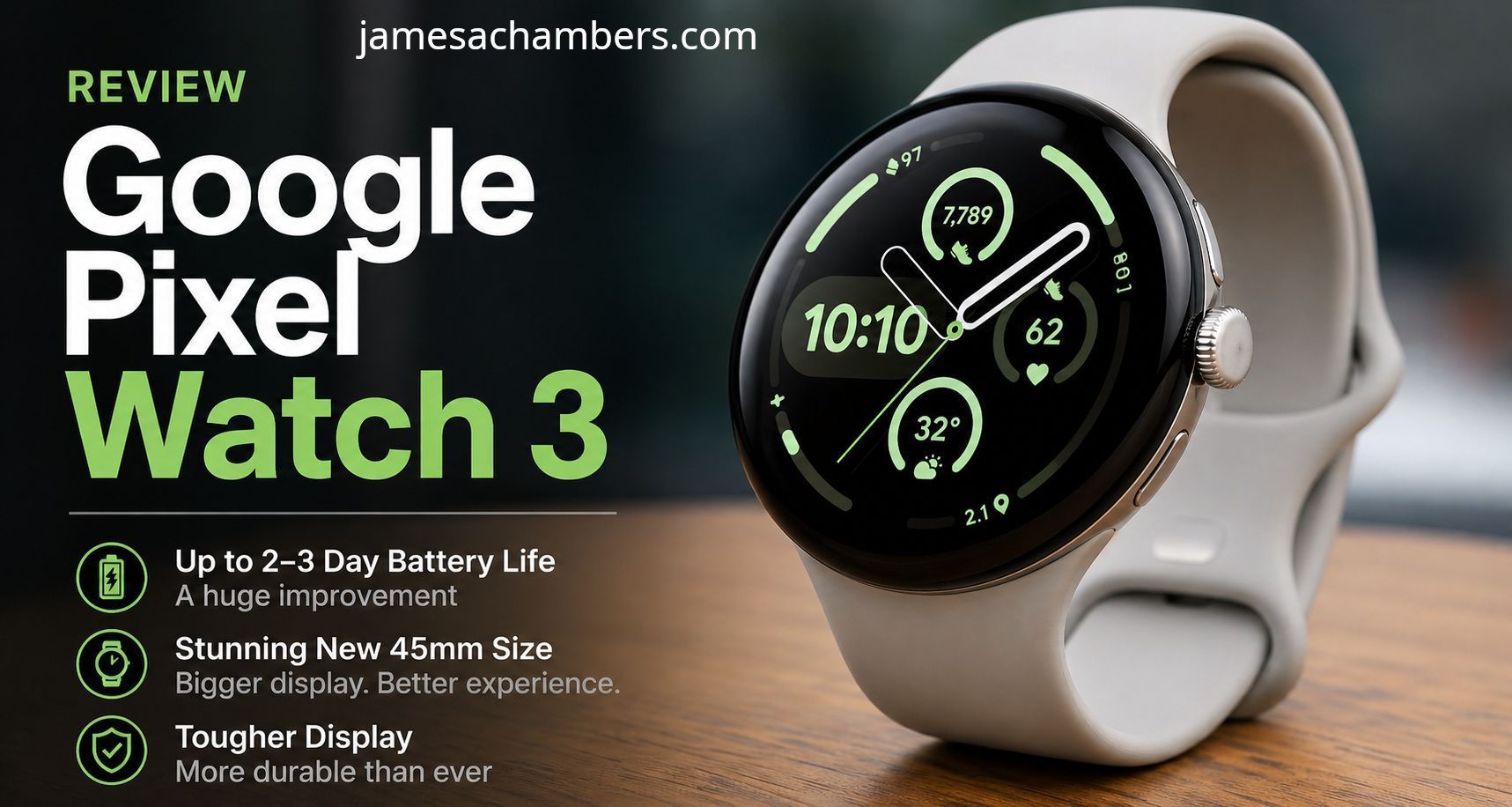
The short version is that Google fixed nearly every complaint I had with the original watch. The battery life is dramatically better and the larger 45mm size is a huge upgrade.
In this review I’ll cover the good, the bad and the ugly about the Google Pixel Watch 3.
Let’s begin!
Hardware Used
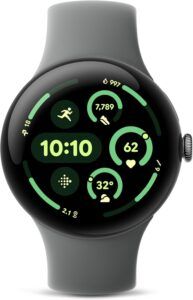
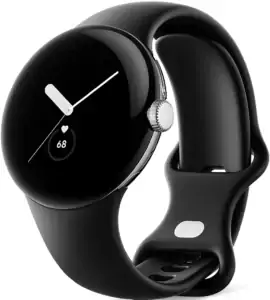
The Google Pixel Watch 3 is Google’s latest flagship wearable smart watch offering. It keeps the same minimalist Pixel design language but adds the much-needed 45mm size option, significantly improved battery life and a much tougher display.
For this review I strongly recommend the 45mm model specifically. This is the version that really fixes the battery complaints from the earlier generations.
If you buy the smaller 41mm model many users are still reporting battery life that feels too close to the original Pixel Watch experience. The 45mm version is the one that feels like the real upgrade.
Screen Protection – Still Mandatory
With the original Pixel Watch I strongly recommended using a screen protector. In fact I considered it almost mandatory. The curved glass looked beautiful but it was simply too easy to scratch and the Gorilla Glass 5 protection was not confidence inspiring.
Unfortunately that has not changed. The glass is the same as the first and second Google Pixel Watch models. That means it is very wise to get a screen protector:
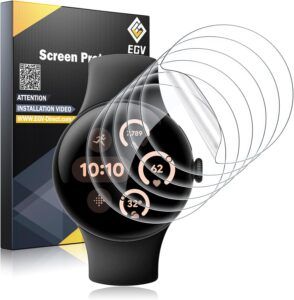
People continue to scratch their Pixel Watch by brushing against a door frame / wall / other benign reasons.
These little protectors will keep the watch face safe from scratches so it stays nice looking for the life of the watch!
Battery Life – Finally Good
This is the biggest practical improvement for me.
The original Pixel Watch was basically a daily charger. If you forgot to charge it, you were probably going to be in battery saver mode by the end of the next day. I had to carefully manage settings like tilt-to-wake just to make it comfortable to use.
The Pixel Watch 3 changes that completely.
I now get a solid 2-3 days of battery life on the 45mm version without having to obsess over power settings.
That means I don’t have to think about it anymore.
I still usually charge it while showering because that’s an easy habit, but if I forget, it simply doesn’t matter. That peace of mind makes the watch feel much more premium than the original.
With the first watch I felt like I was managing the battery.
With the Pixel Watch 3 I just wear it.
That’s how it should be.
45mm Size – The Real Upgrade
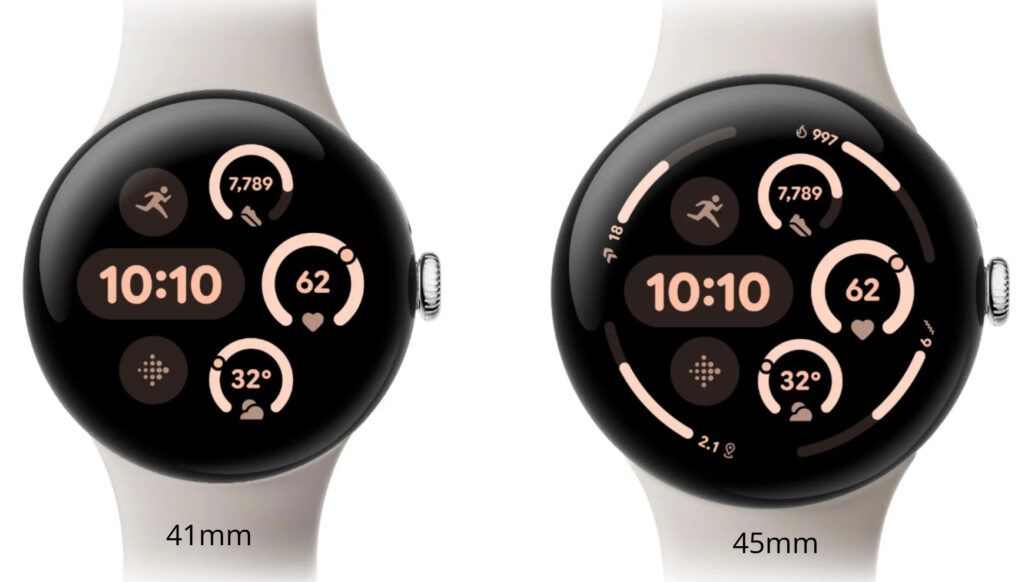
Google adding the 45mm version was absolutely the right move.
The original Pixel Watch looked nice but it always felt a little too small, especially if you prefer seeing more information on the screen at once. The 45mm version fixes that immediately.
It feels more substantial, easier to read and more useful throughout the day.
Notifications are easier to glance at. Complications have more room. Touch interactions feel less cramped. Everything just feels better.
The larger size also directly contributes to the better battery life since it allows for a larger battery.
This is why I specifically recommend the 45mm model.
If you’re upgrading from the original Pixel Watch, this is the version that feels like a true generational leap.
Developer Mode Still Recommended
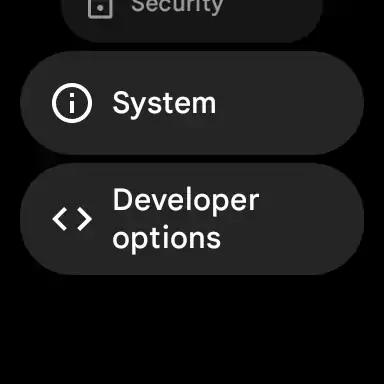
The animation scale settings remain one of the best quality of life improvements you can make. I still reduce:
- Window animation scale
- Transition animation scale
- Animator duration scale
from 1x down to .5x.
This makes the watch feel much faster because you’re spending less time waiting for animations.
It’s not actually making the processor faster of course, but it absolutely improves how responsive the watch feels during normal use.
Some people like turning animations off completely. I still prefer .5x because I like having the animations without the unnecessary delay.
This remains one of the best hidden settings.
How to Enable Developer Mode on Google Pixel Watch 3
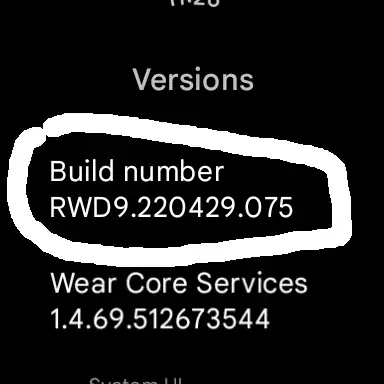
To enable developer mode go to Settings -> System -> About -> Versions.
Tap on the “Build number” 7 times and you will see a message stating you have become a developer!
Watch Faces / Complications
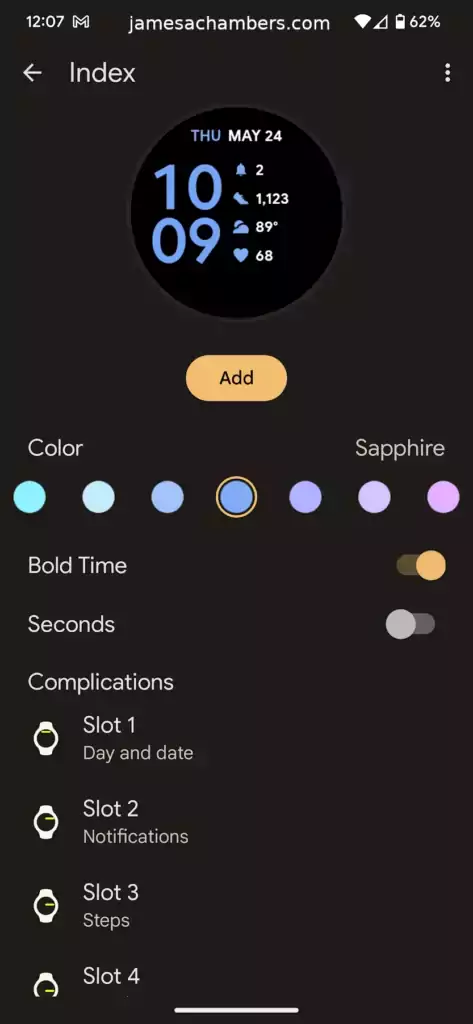
Watch face customization remains one of the strongest parts of the Pixel Watch experience. Complications are flexible, easy to manage and they become even more useful on the larger 45mm display.
I still prefer cleaner minimalist faces with a high number of complications so I can see useful information at a glance without opening apps.
Battery, weather, calendar, heart rate, smart home status and timers are the ones I use the most. There are many more options though:
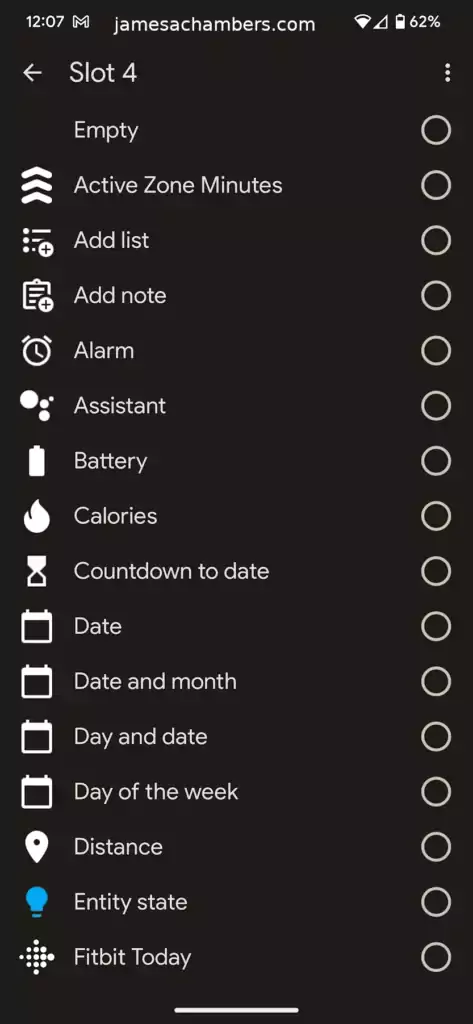
Wear OS app integrations are also still excellent. Home Assistant remains one of my favorite examples since I can monitor and control smart home devices directly from the watch face.
That kind of flexibility makes the watch much more than just a notification screen.
Watch Bands
The watch bands are highly customizable. I use these stretchy ones from Amazon:
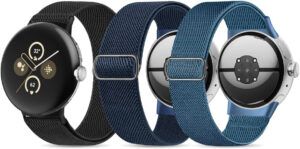
A three pack of these at time of writing (and when I purchased them a while back) is under $10.
I like them because since they stretch when you want to take the watch off you can just pull on the band and the elasticity will give you enough room to pull your hand out without having to adjust the band’s fit.
This lets me take it on and off without ever adjusting the size so that when I take pressure off the band it goes to my perfect fit every time!
Pros / Cons
Pros
- Excellent minimalist Google design
- 2-3 day battery life on the 45mm model is a massive improvement
- 45mm size feels significantly better for daily use
- Great complications and Wear OS app integrations
- No Pixel phone exclusives – works equally well across Android devices
Cons
- The 41mm version still has weaker battery life and is much harder to recommend
- Still prefers the included charger rather than being universally friendly with all wireless chargers
- Screen is still scratch prone (use protection!)
- Premium pricing compared to some Wear OS alternatives
Conclusion
I’ve been really impressed with the Google Pixel Watch 3 and unlike the first generation, this one feels fully mature.
The original Pixel Watch felt like a very promising first attempt.
The Pixel Watch 3 feels like Google finally got it right.
The better battery life alone makes it worth the upgrade, but the tougher display and the excellent 45mm size option are what really make it stand out.
I no longer feel like I need to protect it from itself or carefully manage settings just to get through the day. It simply works the way a premium smart watch should.
I’d especially emphasize again that if you’re buying one, get the 45mm version.
That’s the version that delivers the real battery life improvement and the overall better experience. If you go with the 41mm version you may end up wondering why people are praising the battery life so much.
Just like before, I also appreciate that Google does not lock special features behind owning a Pixel phone. Whether you’re using a Pixel, Samsung Galaxy or another Android phone, you get the full experience.
That makes it much easier for me to recommend.
For Android users looking for the best clean first-party smartwatch experience, the Google Pixel Watch 3 is easily the best Pixel Watch Google has made so far!
Is the Google Pixel Watch 3 screen actually bigger?
Yes, the Pixel Watch 3 features a 45mm case with a 40% larger Actua AMOLED display that reaches up to 2,000 nits of peak brightness, making it much easier to read outdoors. The smaller version is still available but the bigger version is strongly recommended.
How is the battery life on the Pixel Watch 3 compared to the Watch 2?
Battery capacity has been increased to support typical all-day use plus overnight charging. Heavy GPS tracking or constant Wear OS notifications will still drain it faster, but average daily endurance has improved.
Is the Pixel Watch 3 compatible with non-Pixel phones?
Yes. While optimized for Pixel phones, it works with most Android devices running Android 9.0 or higher.