One of the things I’ve been trying to optimize lately is running larger local models with higher context windows without spilling over into system RAM.
I’ve been running Ollama with Qwen3.6-27B on my NVIDIA 3090, which has 24GB of VRAM. It works great, but once I started pushing the context window above 32K, I started getting a pretty nasty split between CPU and GPU memory.
It worked, but it was noticeably slower.
As anyone running local models knows, once you leave pure VRAM and start involving system RAM, performance drops fast. It’s usable, but it’s definitely not what you want (especially for coding, agent workflows, or anything with a lot of long-running context).
I wanted to stay fully in VRAM.
The problem is that in 2026, GPU prices are still absolutely ridiculous.
I was complaining about that to my wife and explaining that I really didn’t want to do a full upgrade right now when she asked a very good question:
“Can’t you just use your old GPU from your old computer and combine it with this one?”
Honestly, that was such a good suggestion I was annoyed I hadn’t thought of it first.
Can You Use an Old GPU for LLM Inference?
Yes, provided it still supports CUDA compute, absolutely.
Not every older card is going to be useful here, but mine happened to be an NVIDIA 2080 Ti sitting in my old machine. That’s still a very capable CUDA card and perfectly usable for model inference.
That meant I could combine:
- NVIDIA 3090 (24GB VRAM)
- NVIDIA 2080 Ti (11GB VRAM)
for a total of roughly 35GB of usable VRAM for model loading.
That’s enough to do some really nice things with Qwen3.6-27B.
Fantastic!
Will Two GPUs Fit Side by Side in a Workstation?
That depends on your case. With GPUs this large probably not. Let me explain.
I pulled the 2080 Ti out of my old machine and installed it into my Threadripper workstation (TRX40 platform) that I built a few years ago.
The result looked absolutely beautiful:
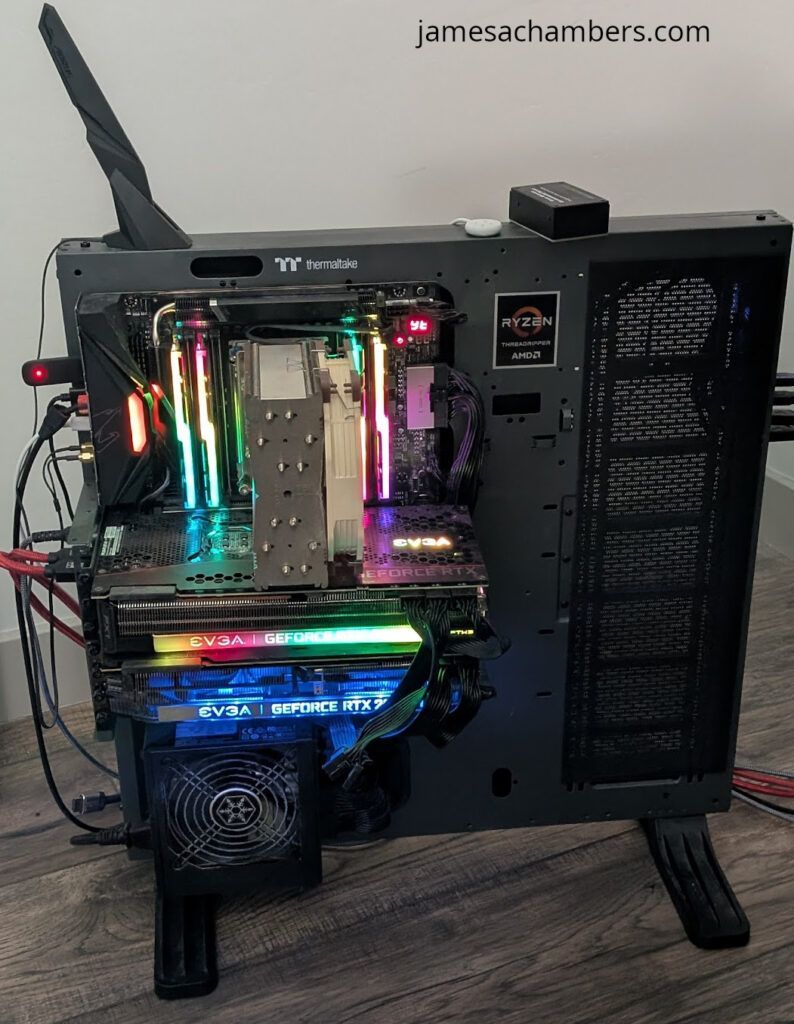
It also would not work at all.
There was nowhere near enough clearance between the GPUs:
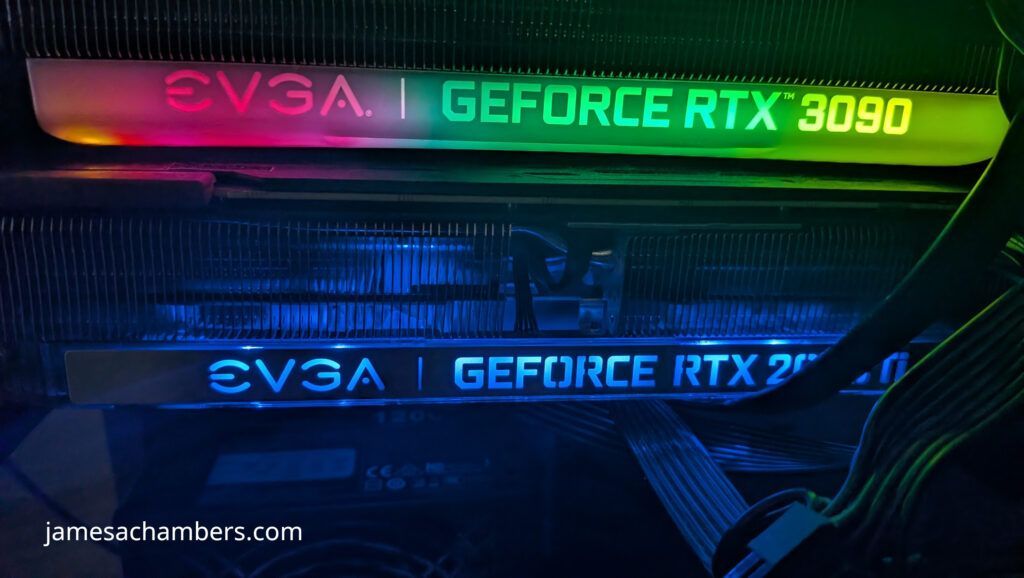
Since I had to move my primary GPU upward, it ended up so close to the CPU heatsink that it was basically touching it (and definitely close enough to turn both components into little space heaters radiating into each other).
Even on a full-size TRX40 motherboard, this was a problem.
If you’re planning to do this, don’t assume your board has enough room just because it’s physically large.
It probably doesn’t.
I actually tried running it in this configuration and it was exactly what you would expect. My 3090s temperature immediately went to 86C and the fans kicked on at high speed. They were not able to draw enough air through this gap though to keep it cool. The temperature stayed maxed at 86-87C until the AI finished thinking.
What’s the Best Way to Add a Second GPU?
Use a GPU riser cable:
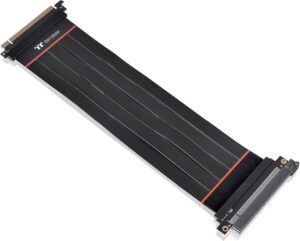
That ended up being the real solution. I remembered I had an old PCIe GPU riser cable downstairs, and that saved the whole project.
Honestly, this is what I’d recommend for almost everyone trying this.
Even with a large motherboard, running two large GPUs side by side is usually a terrible idea for:
- thermals
- airflow
- physical clearance
- sanity
With the riser cable installed, it looked a little ridiculous…
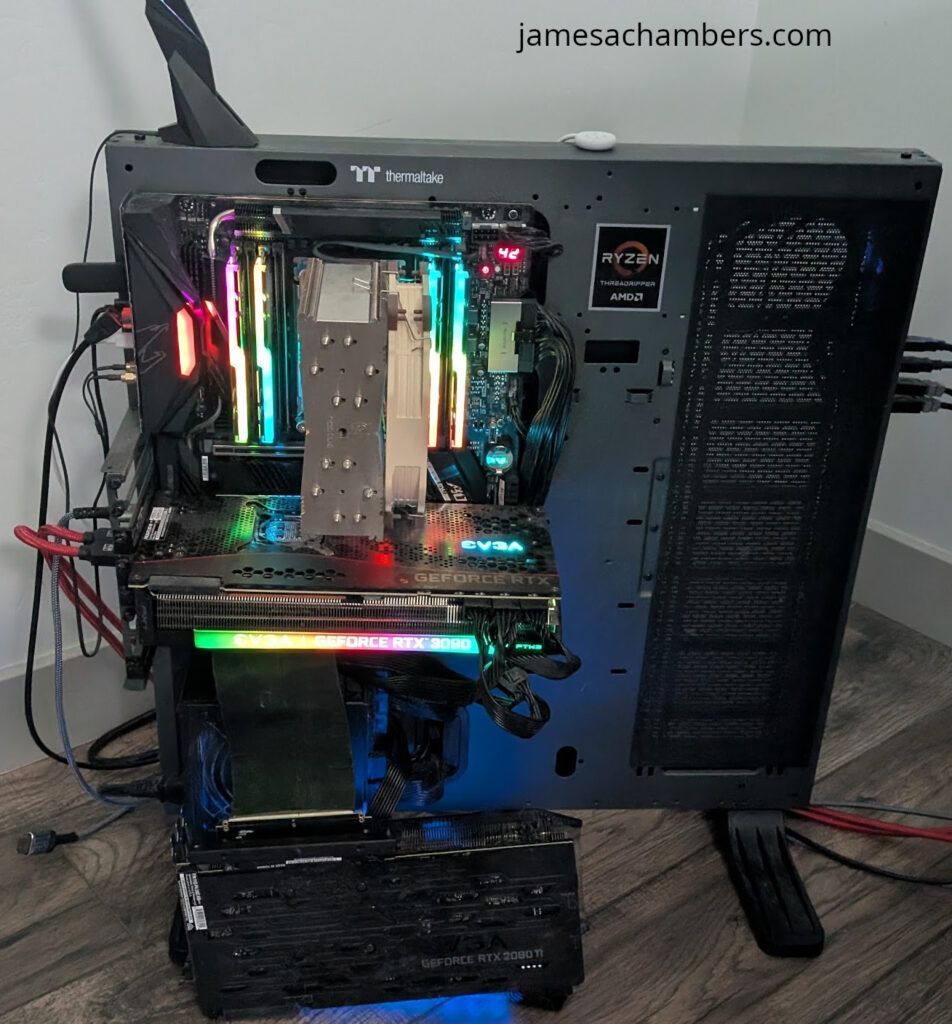
…but it worked perfectly.
Despite looking not to great to have your GPU sitting on the ground it’s honestly fine. This is an open frame build so it’s not like any of the other components have been protected by a case either this whole time.
Airflow was excellent, thermals were good, and most importantly, I could finally load the model fully into VRAM.
That’s the part that matters.
How Do You Run Qwen3.6-27B with a 64K Context Window in Ollama?
I created a file called Modelfile with the following contents:
FROM qwen3.6:27b
PARAMETER num_ctx 65536
Then I created the model with:
ollama create qwen3.6-64k-27b -f ModelfileThat’s it.
Now I can run a dedicated 64K version of the model without changing settings every time.
Simple and clean.
How Do You Verify Ollama Is Using 100% GPU?
This is the first thing I checked.
Running:
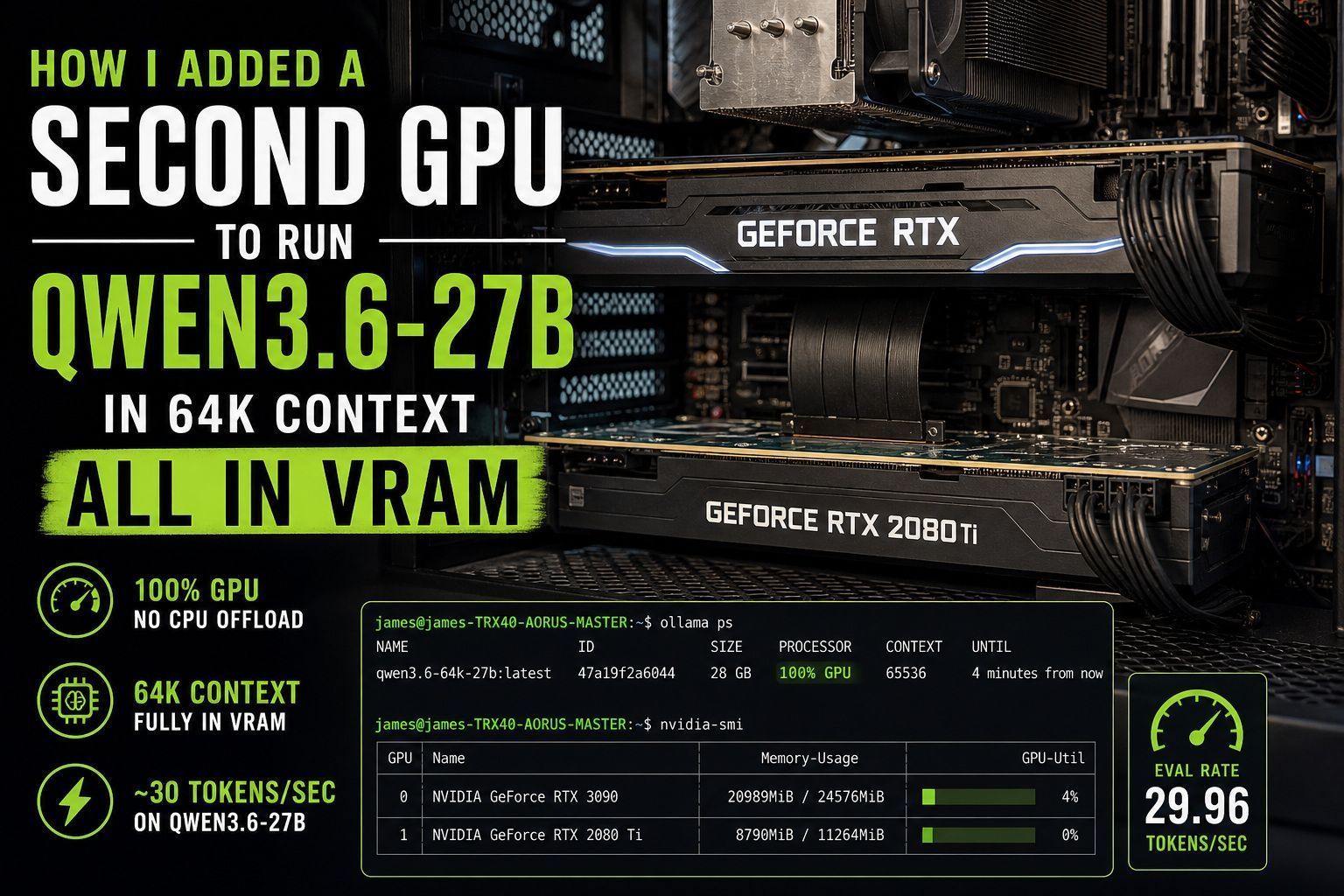
ollama psshowed exactly what I wanted to see:
NAME                      ID              SIZE     PROCESSOR    CONTEXT
qwen3.6-64k-27b:latest    47a19f2a6044    28 GB    100% GPU     65536
That “100% GPU” line is what you are looking for. That means no CPU spillover. Just pure VRAM.
Perfect.
How Do You Confirm the Model Is Split Across Both GPUs?
Easy. Use:
nvidia-smi
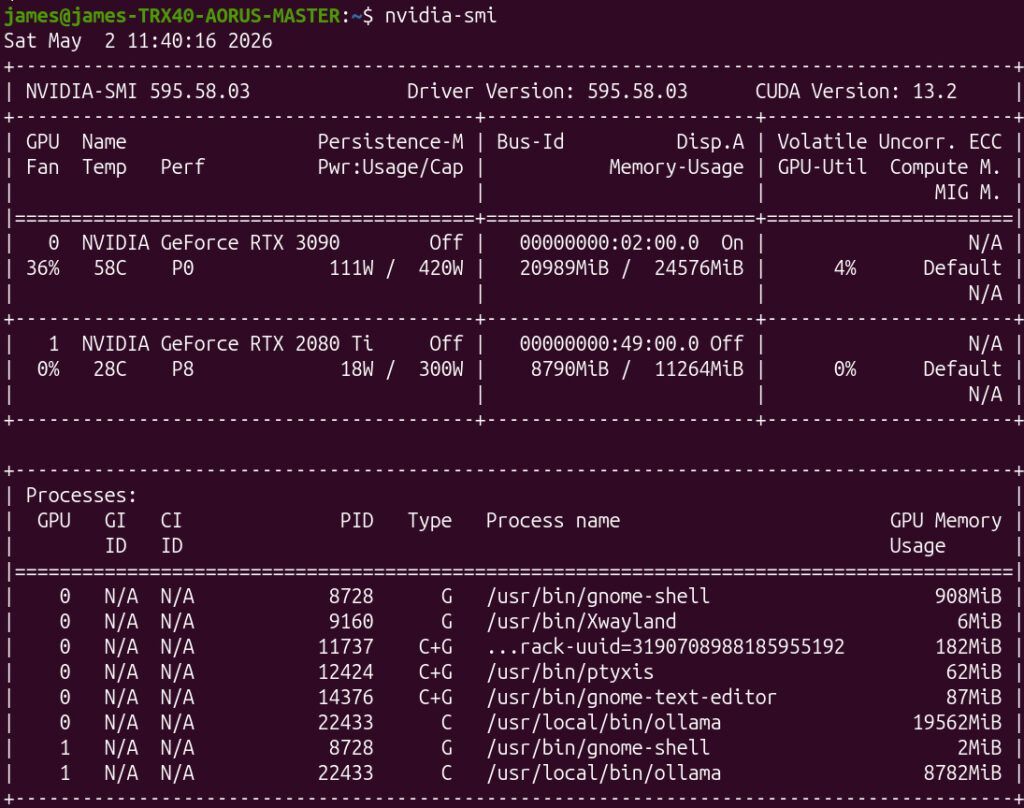
This showed:
- RTX 3090 using ~20.9GB
- RTX 2080 Ti using ~8.7GB
with Ollama split across both cards exactly like it should.
That’s basically ideal.
It put the bulk of the load on the 3090 while using the 2080 Ti to provide the extra VRAM needed to keep the full 64K context entirely on GPU.
That’s exactly what I was hoping for.
Oh yeah. That definitely worked!
What Performance Improvement Did I Get?
This is the part everyone actually cares about.
I tested using:
ollama run qwen3.6-64k-27b --verboseThe --verbose flag gives performance stats like this:
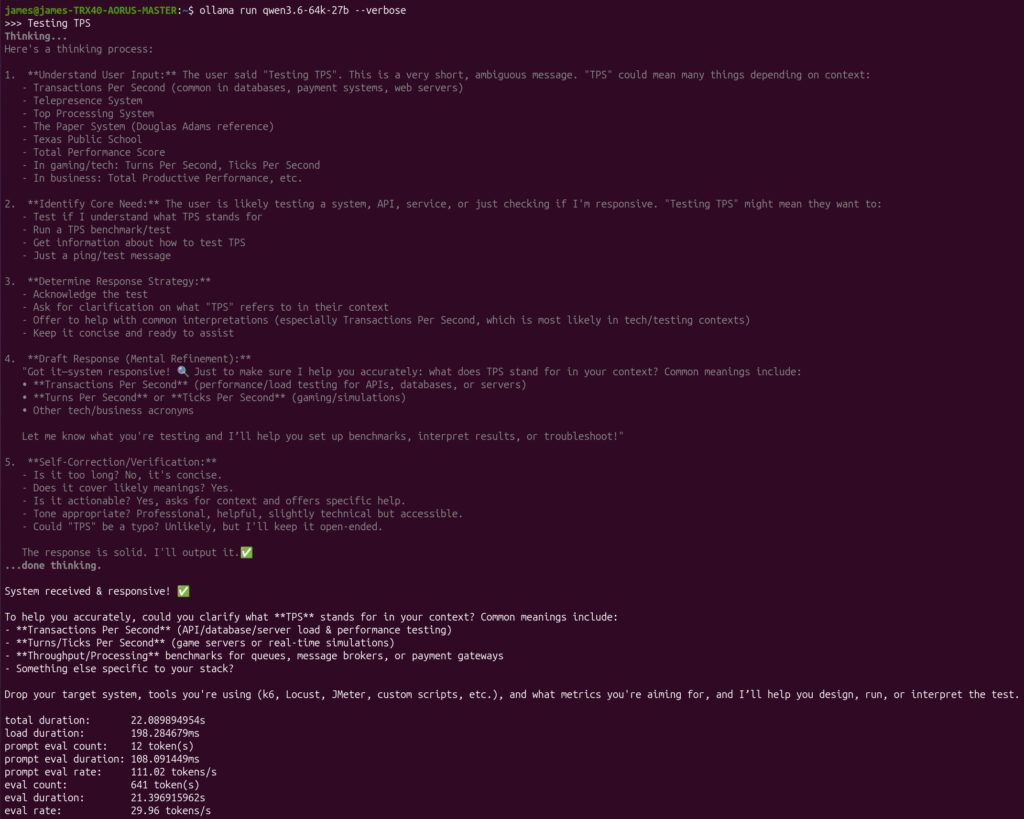
total duration:       22.089894954s
load duration:        198.284679ms
prompt eval count:    12 token(s)
prompt eval duration: 108.091449ms
prompt eval rate:     111.02 tokens/s
eval count:           641 token(s)
eval duration:        21.396915962s
eval rate:            29.96 tokens/s
That puts me at basically 30 TPS.
That’s excellent.
Especially considering this is with a full 64K context window.
That larger context makes a real difference for:
- coding
- agents
- longer tasks
- complex reasoning
- not having the AI forget what it was doing five minutes ago
You notice it immediately.
It’s one of those upgrades that feels obvious the second you have it.
Is Adding a Second GPU Worth It in 2026?
Honestly, yes. Especially right now.
Hardware prices are still terrible.
If you already have older CUDA-capable hardware (or ROCm capable AMD GPU) sitting around, this is one of the best upgrades you can make.
A used card you already own is infinitely cheaper than buying a new flagship GPU at 2026 pricing.
If you have something like:
- 2080 Ti
- 3080
- older Titan cards
- AMD ROCm capable GPUs
- older workstation GPUs
- basically anything CUDA or ROCm capable with decent VRAM
…it may be worth trying before spending a fortune on new hardware.
Especially if all you need is “just enough extra VRAM” to stay fully on GPU.
That’s exactly where this shines.
Final Thoughts
Sometimes the best upgrade isn’t buying new hardware. Sometimes it’s listening to your wife.
Adding my old 2080 Ti with a riser cable let me push Qwen3.6-27B to 64K context fully in VRAM, stay at nearly 30 TPS, and avoid spending absurd money on a new GPU during one of the worst hardware markets in years.
Is it ugly sitting on the floor? Not at all when I think about how much money I saved vs. trying to buy *any* hardware in 2026.
If you’ve got older hardware sitting around, it might be time to go dig through the closet!
Can I use multiple GPUs to run large LLMs like Qwen3.6-27B?
Yes, you can add a second GPU (even an older model like an RTX 2080 Ti) to share the VRAM load. This allows you to run large models entirely in VRAM without falling back to slower system RAM, significantly boosting tokens per second (TPS).
Do I need an expensive GPU riser cable for adding a second GPU?
Standard PCIe riser cables work fine, but ensure your power supply has enough PCIe connectors and sufficient wattage to handle both cards under full AI inference load. Cable length and bandwidth limitations shouldn’t be an issue for VRAM splitting.
Why is running LLMs fully in VRAM better than CPU offloading?
VRAM bandwidth is drastically higher than DDR4/DDR5 RAM. Keeping the model entirely in GPU memory prevents data transfer bottlenecks, resulting in much faster generation speeds (e.g., jumping from <5 TPS to 30+ TPS).